Go2Clock - Visitor Management
Visitor Management Kiosks
Our visitor management module allows you to create unlimited kiosks and supports unlimited visitor registrations. When visitors arrive at the site, they can self-register; upon registering, the person they are visiting will be notified of their arrival.
Visitors show on the evac report alongside employees, giving you a complete list of everyone on site.
In this article
Setting up a Visitor Kiosk
-
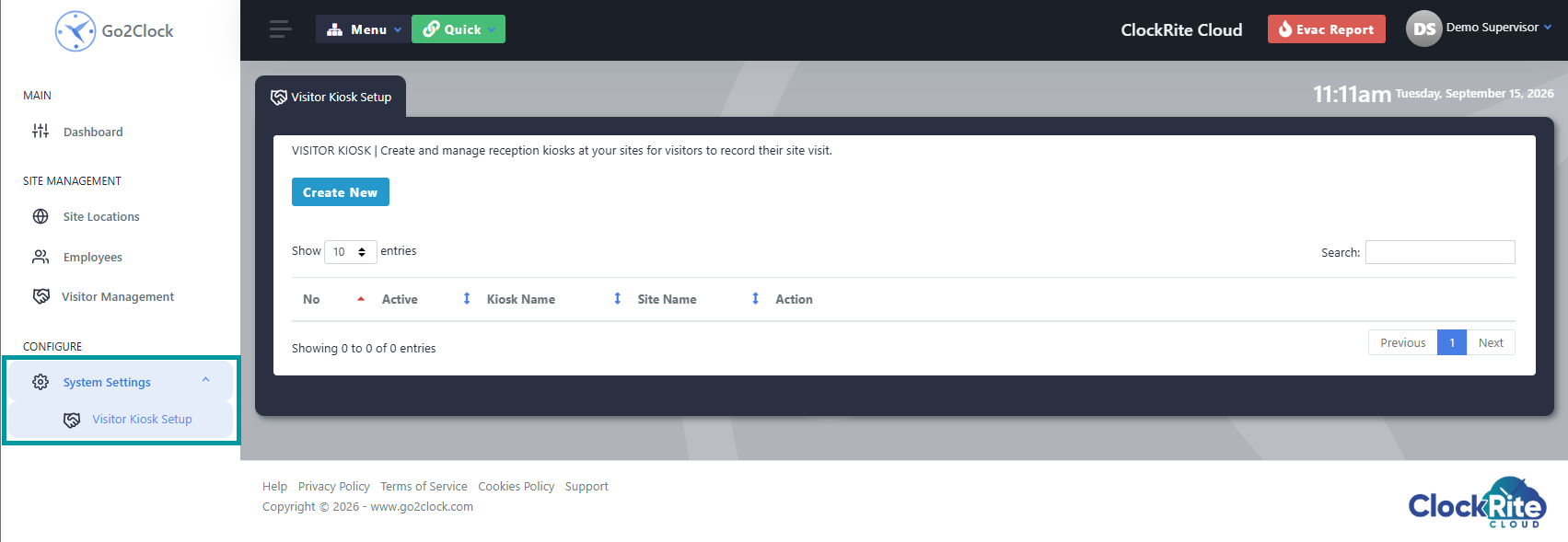
Log into the software and navigate to Visitor Kiosk Setup under System Settings.
-
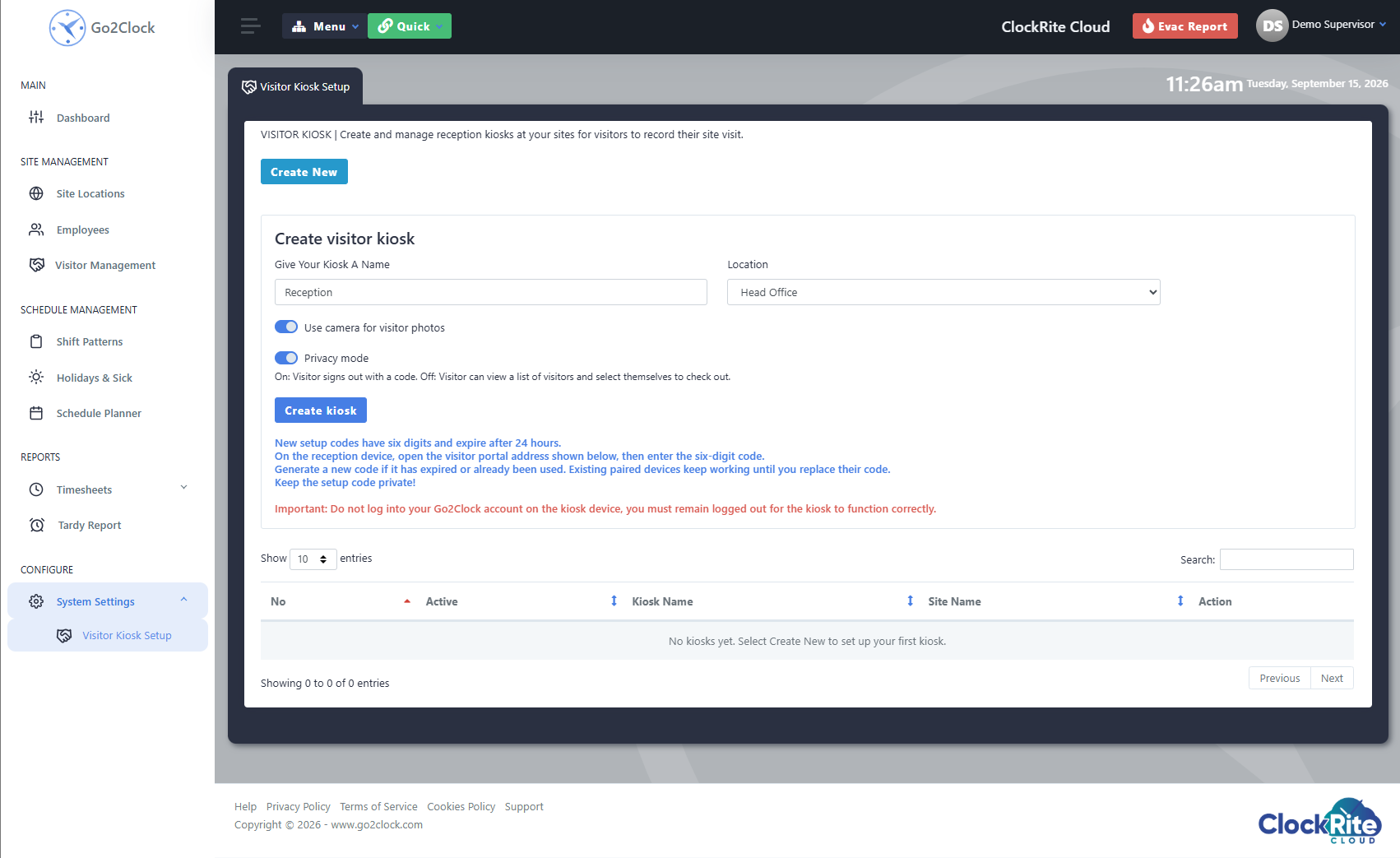
Click Create New and fill in the details and settings for the kiosk.
i. The location will appear on evac reports, allowing visitors to show within the correct location.
ii. Use camera; this allows visitors to take a photo as part of the check-in process.
iii. Privacy mode. On: Visitor signs out with a code. Off: Visitor can view a list of visitors and select themselves to check out.
-
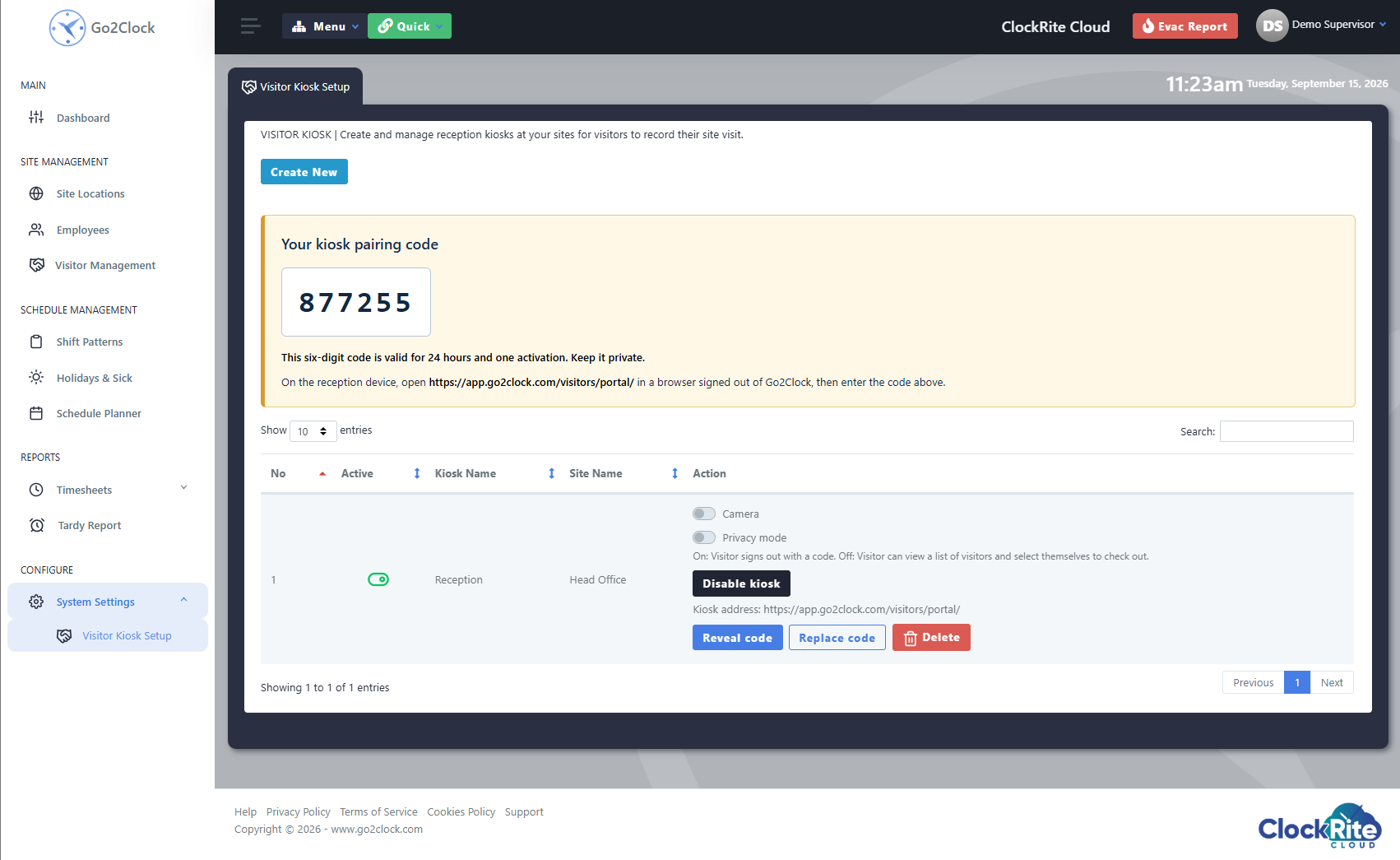
Once you have clicked Create Kiosk, you will be given your pairing code.
-
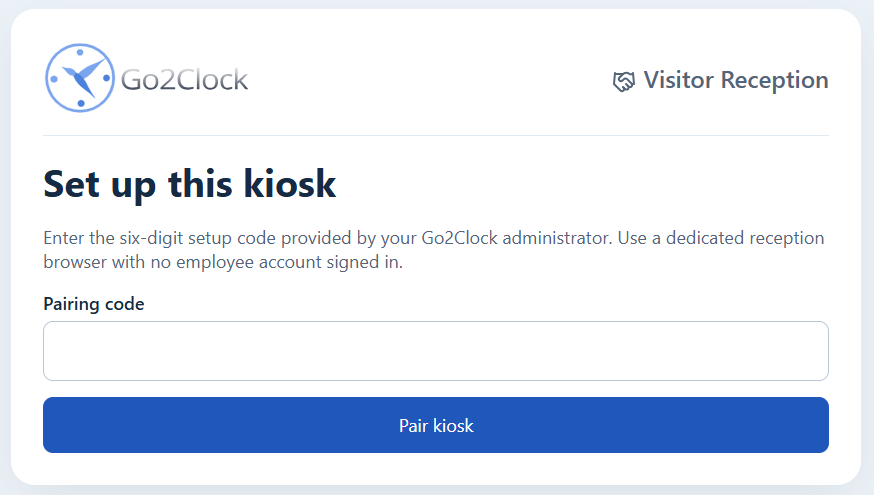
On the Kiosk device, open https://app.go2clock.com/visitors/portal/ in a browser signed out of Go2Clock, then enter the pairing code.
Using the Visitor Kiosk
Check-In Process
-
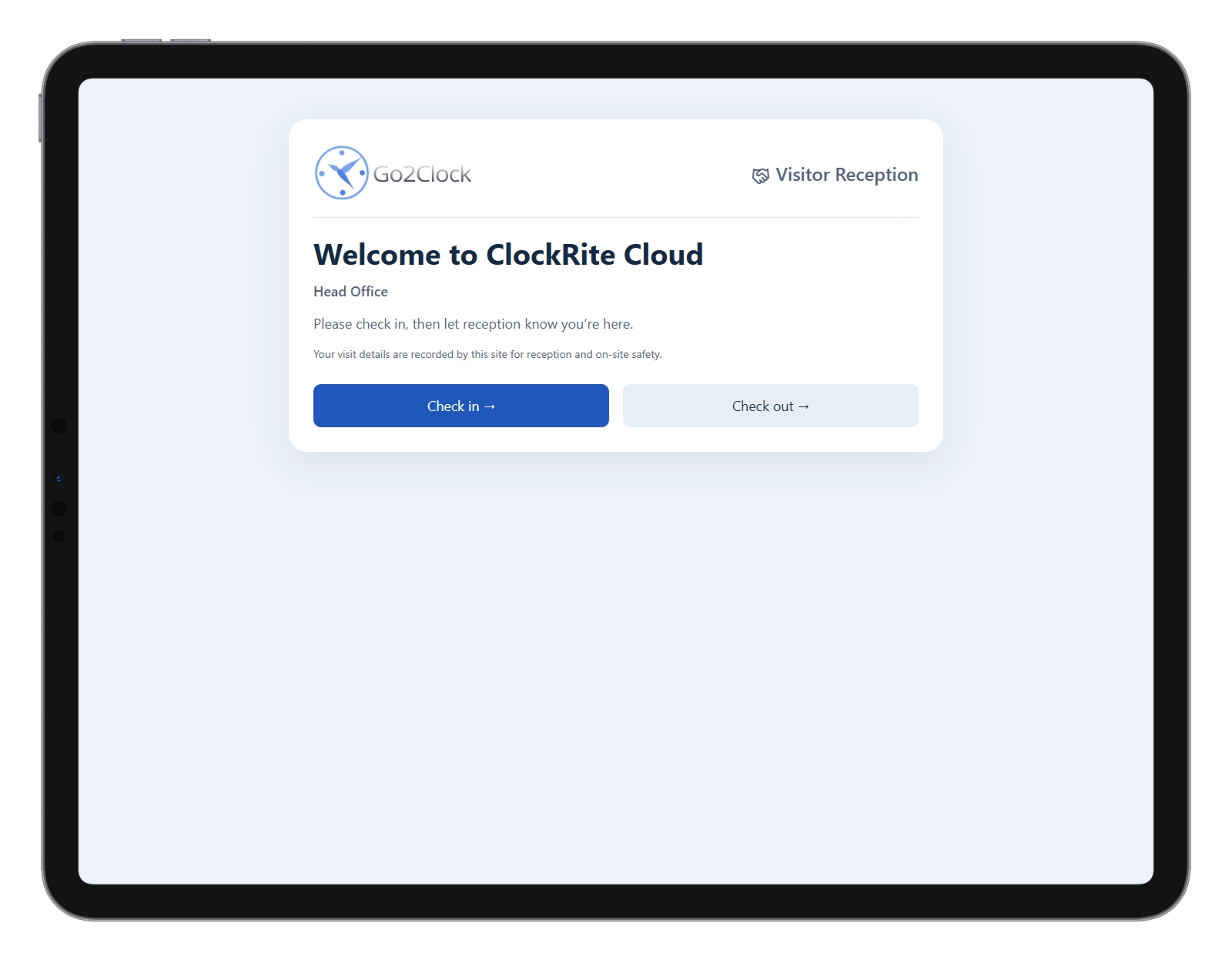
The visitor comes to the Kiosk and selects Check-in
-
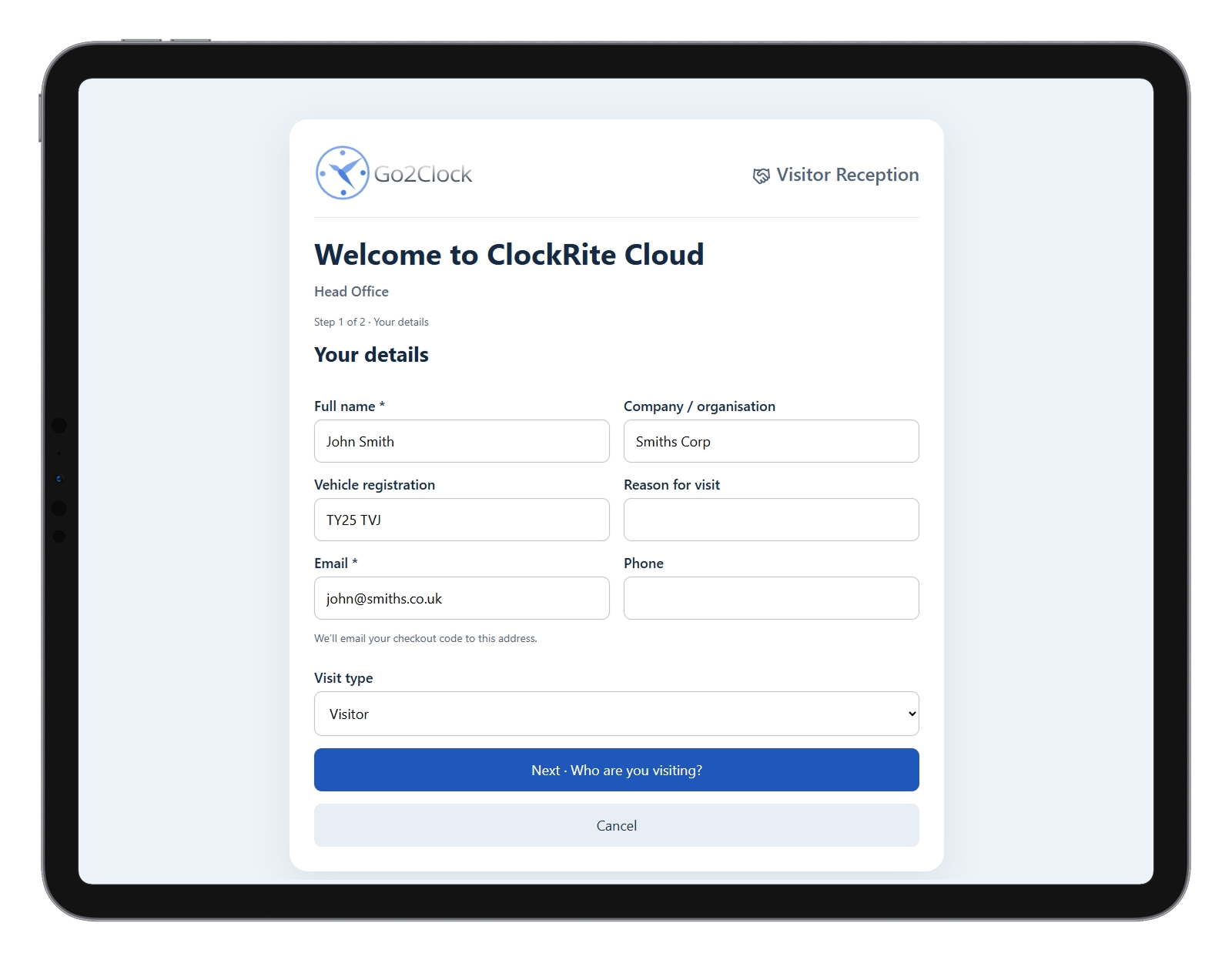
The visitor enters their details on the below form and then clicks next.
-
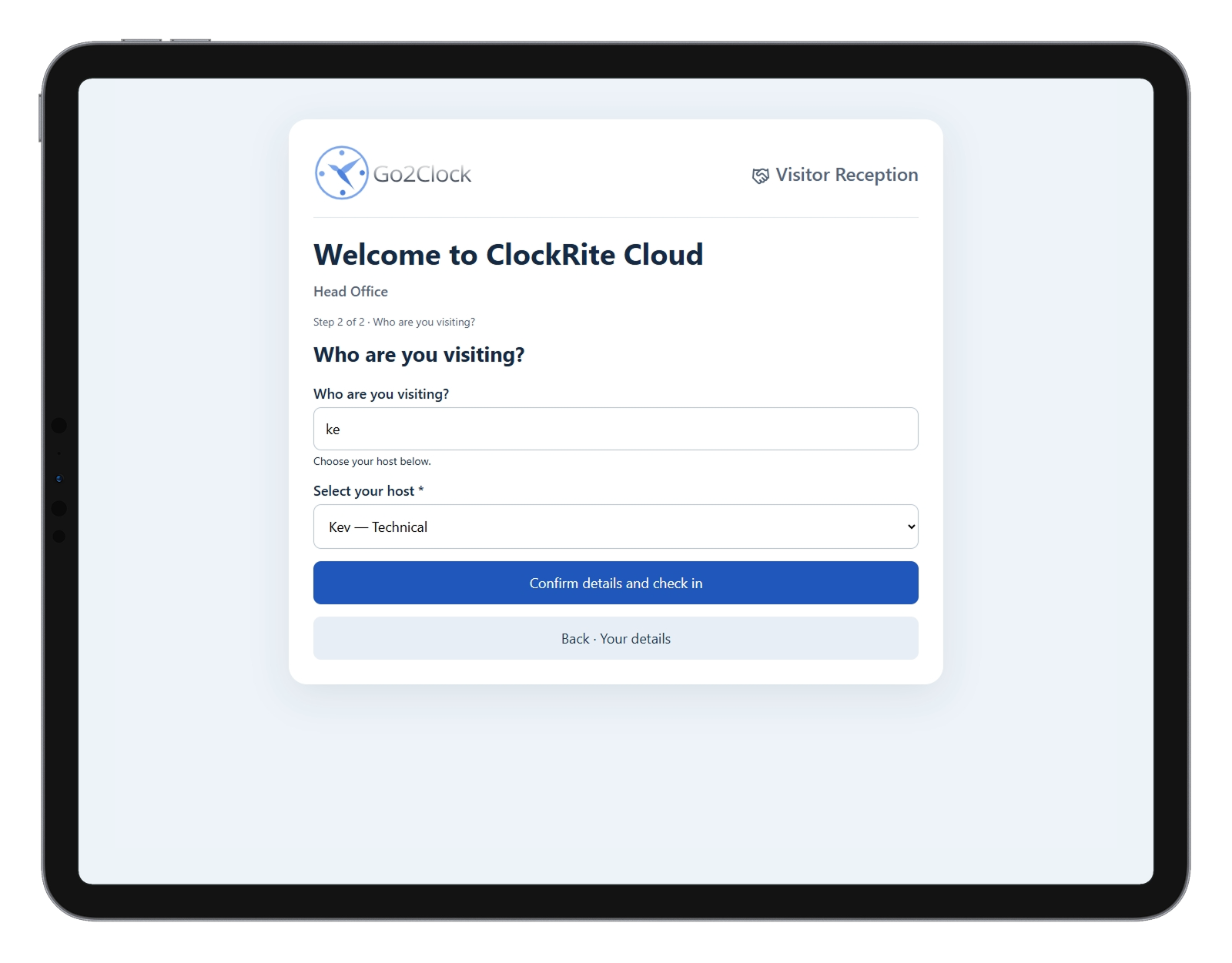
The visitor then selects who they are visiting and clicks to check-in. (This person will receive a notification that the visitor has arrived.)
-
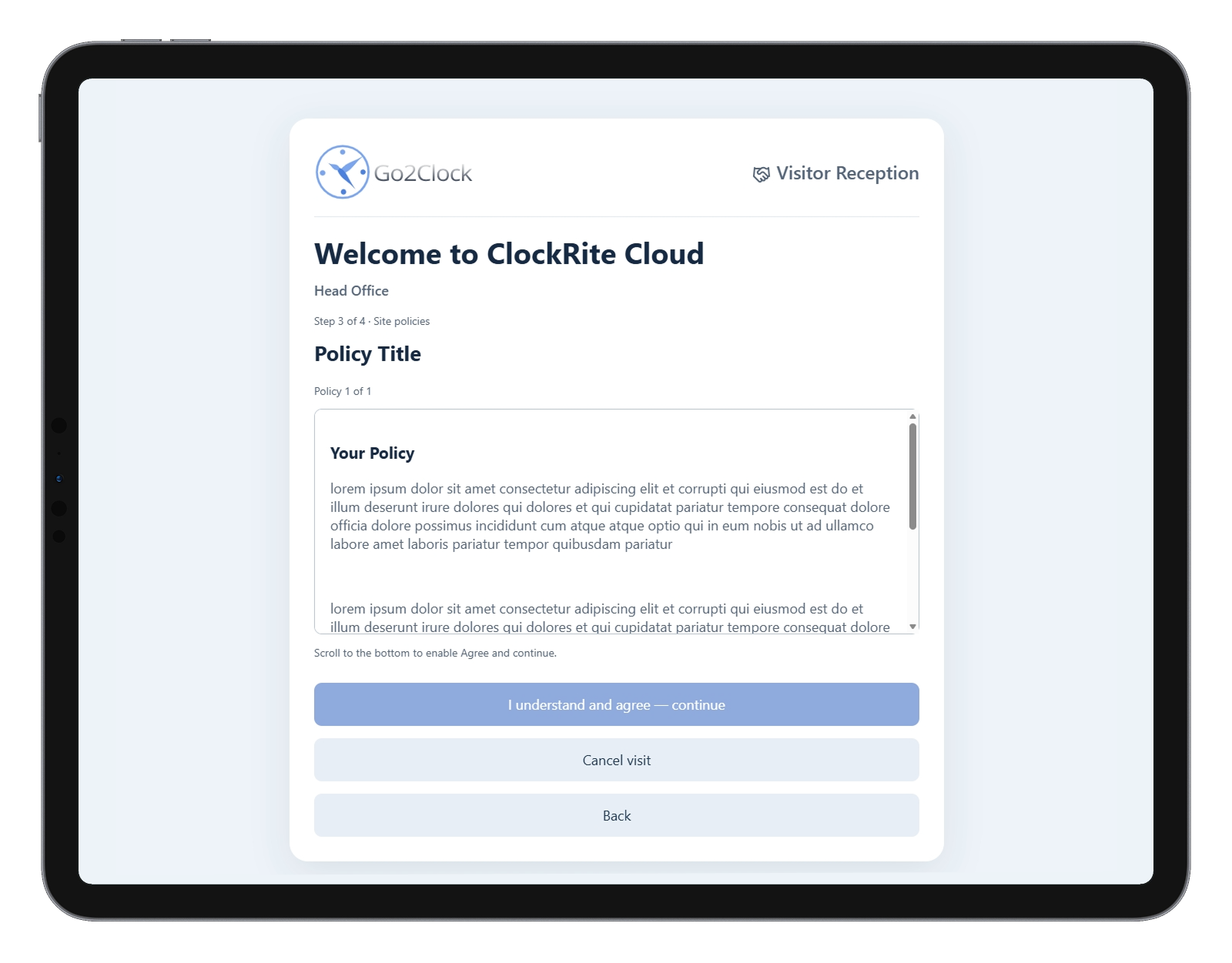
(Optional) The visitor can be shown a series of policies to agree to.
-
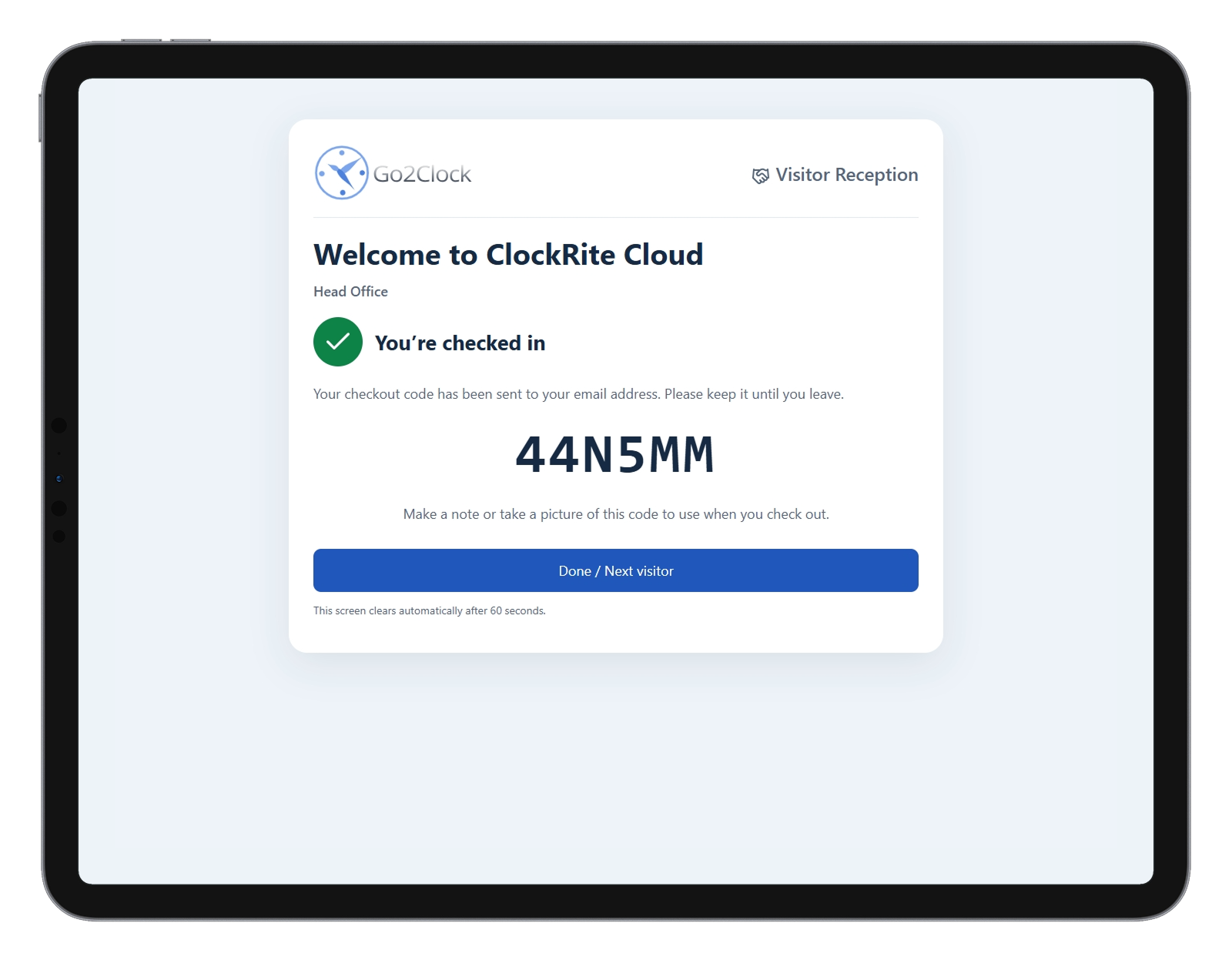
The visitor will then be given a confirmation message which includes their checkout code, which is required if privacy mode is enabled.
Check-Out Process
-
The visitor returns to the kiosk and selects Check-out.
-
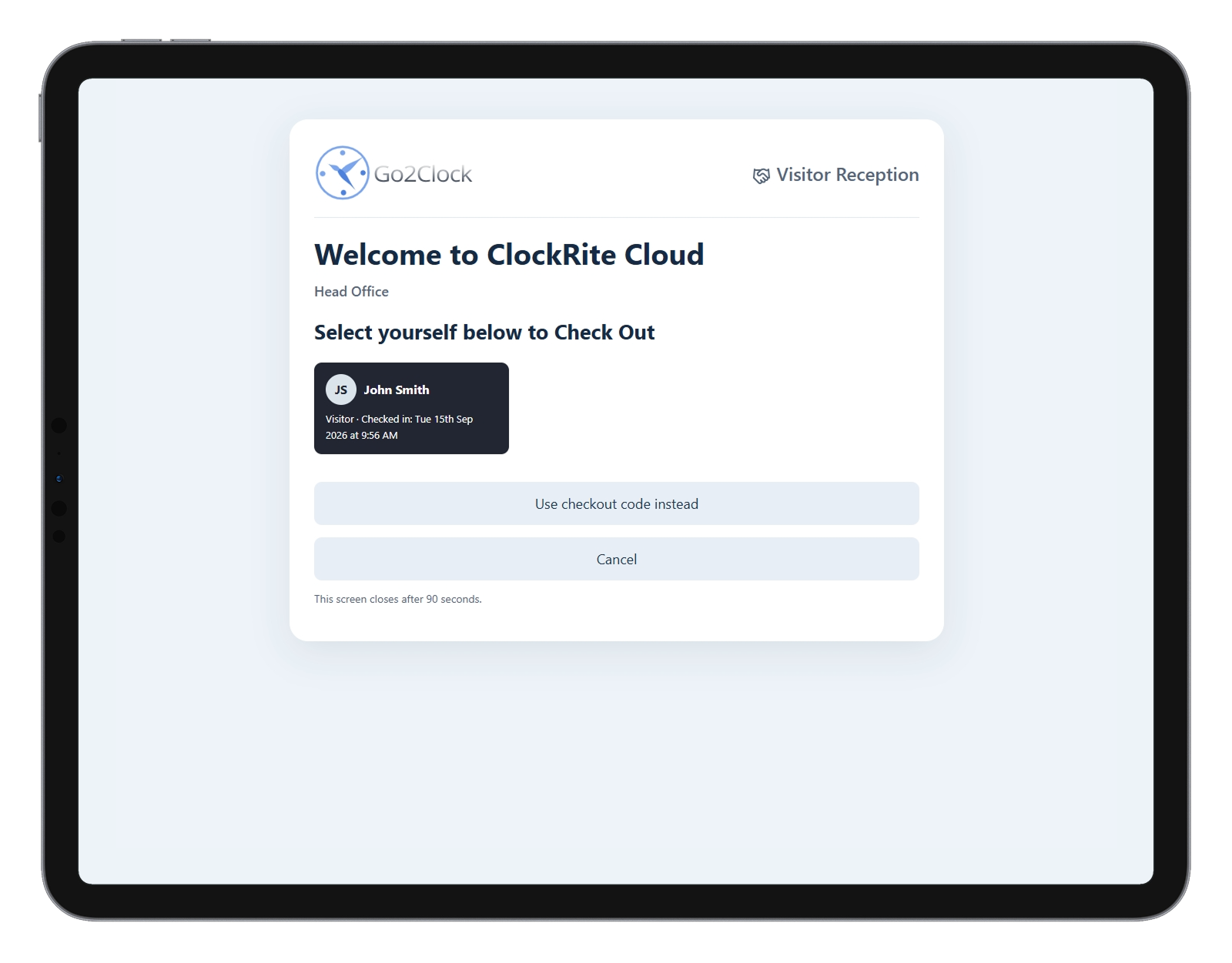
The visitor selects their name from the list of checked-in visitors. (If privacy mode is enabled, the visitor will be asked to enter their checkout code instead.)
-
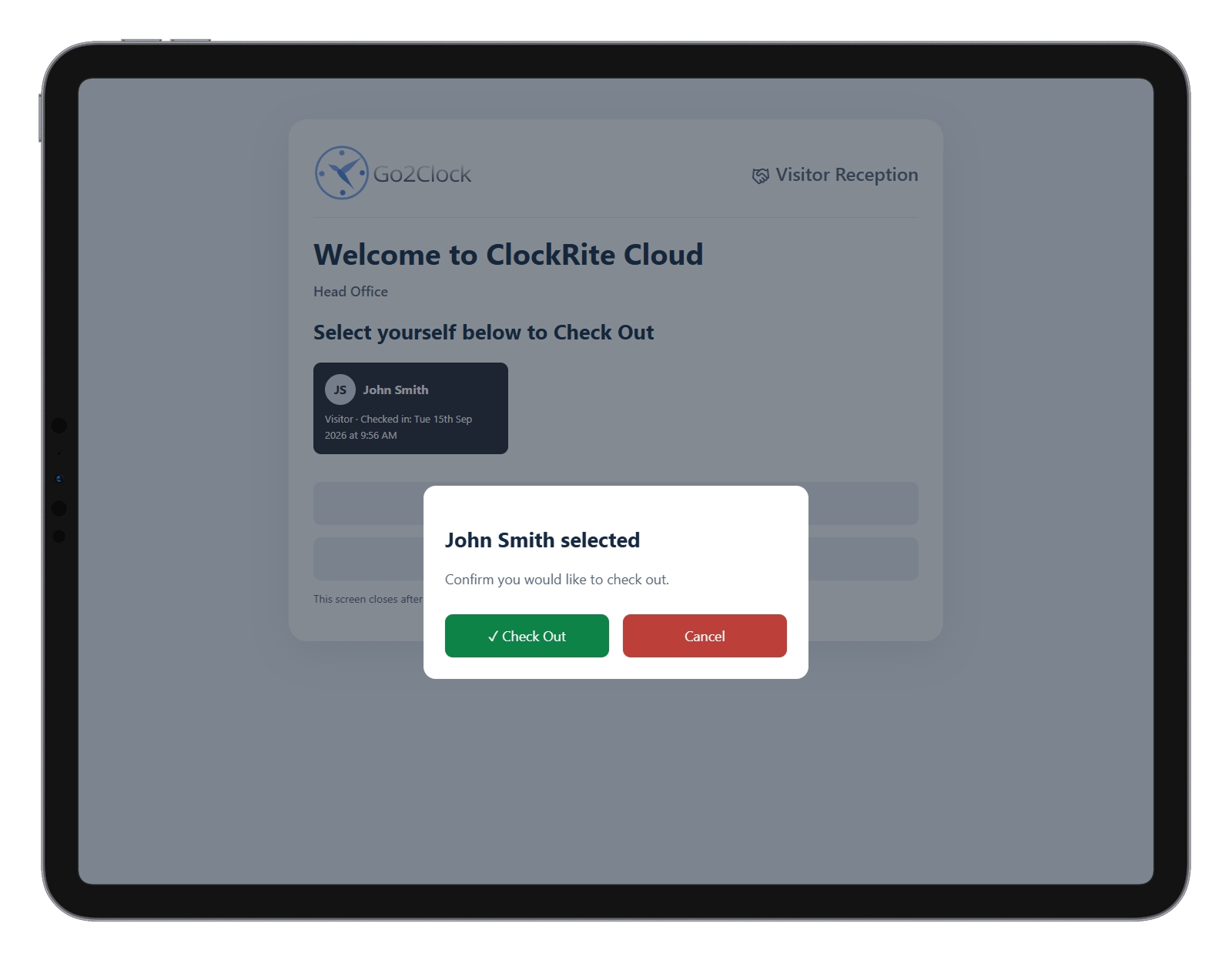
A popup will be shown to confirm the visitor wants to check out.
-
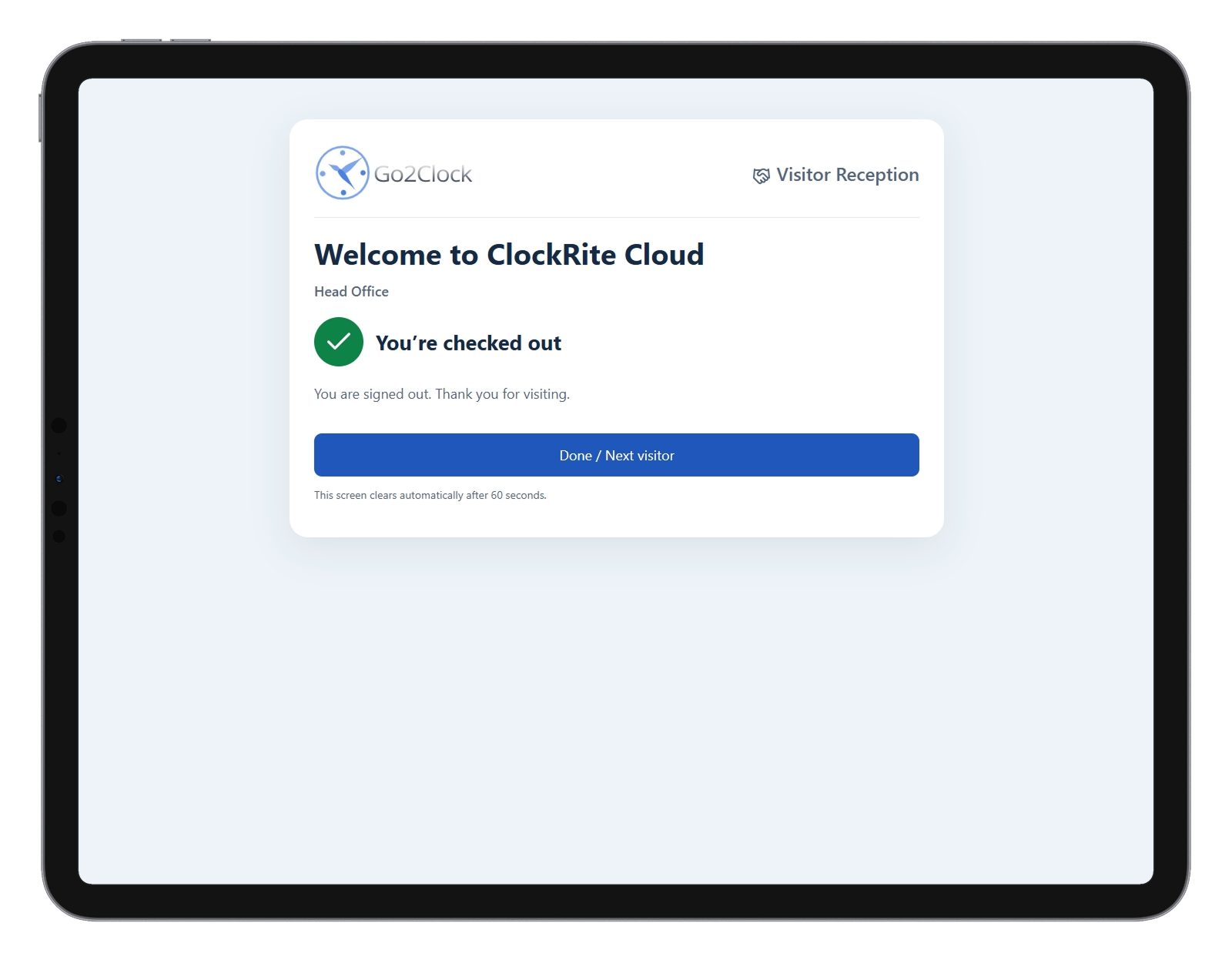
The kiosk will then display a confirmation of the checkout.